

Notifications and delivery
OnCallAlerting has two notification channels: the in-app inbox and Slack. Every notification lands in the recipient's inbox. When the escalation level uses Slack + in-app, a Slack message is sent as well.
Who gets notified
Section titled "Who gets notified"When an escalation level runs, OnCallAlerting works out a list of people:
- A person target is that person.
- A roster target is whoever is on call now: a substitution first, then the latest layer covering this moment. A follow-the-sun roster may name the awake shift first.
- Each person is notified once per level per round, even when two targets name the same person.
Coverage gap. When a level's targets name nobody, for example a roster whose rotation has not started, the primary owner of the organization is notified instead. The timeline records "Coverage gap: notified the primary organization owner".
Reassigning an incident and adding responders also send notifications. They use the channel of the policy's level 1.
Your inbox
Section titled "Your inbox"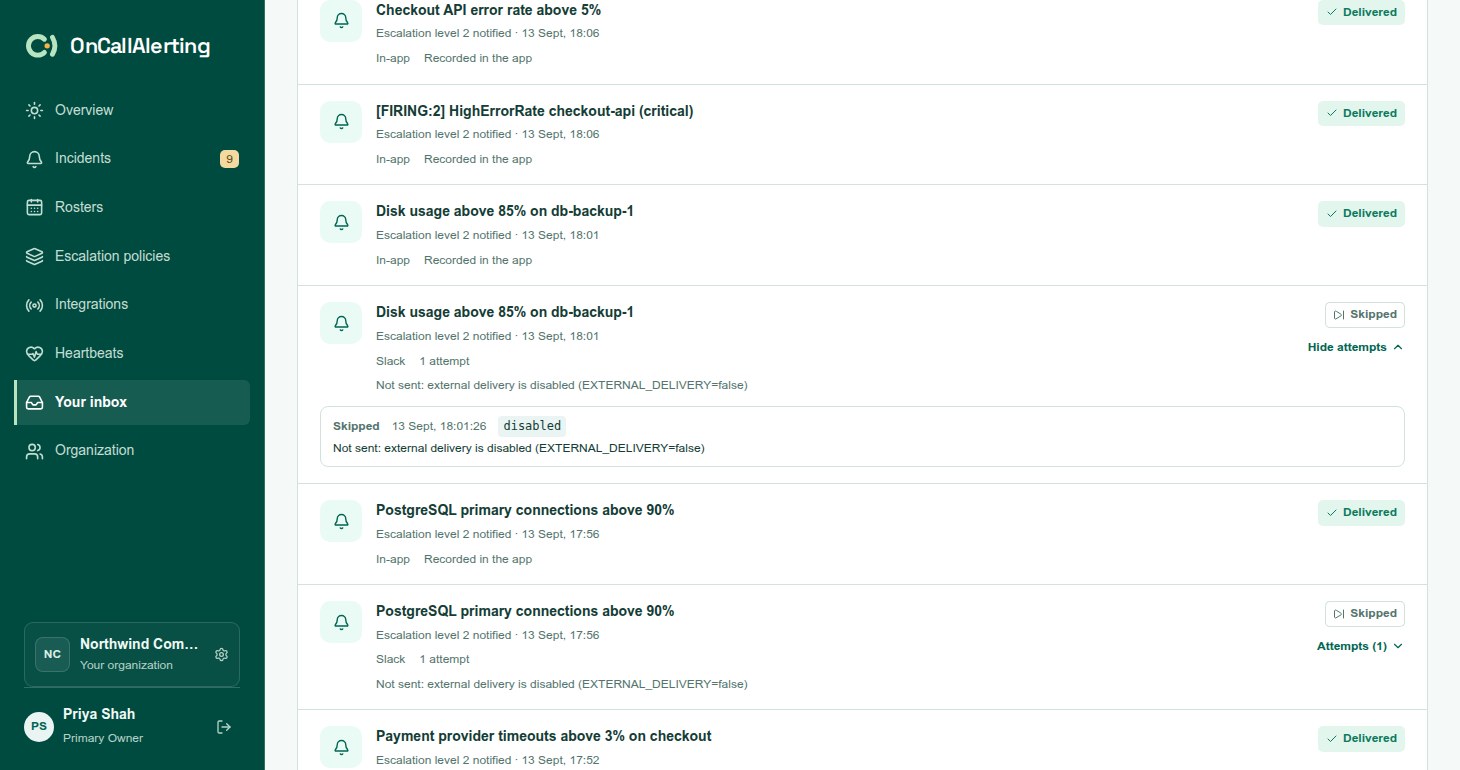
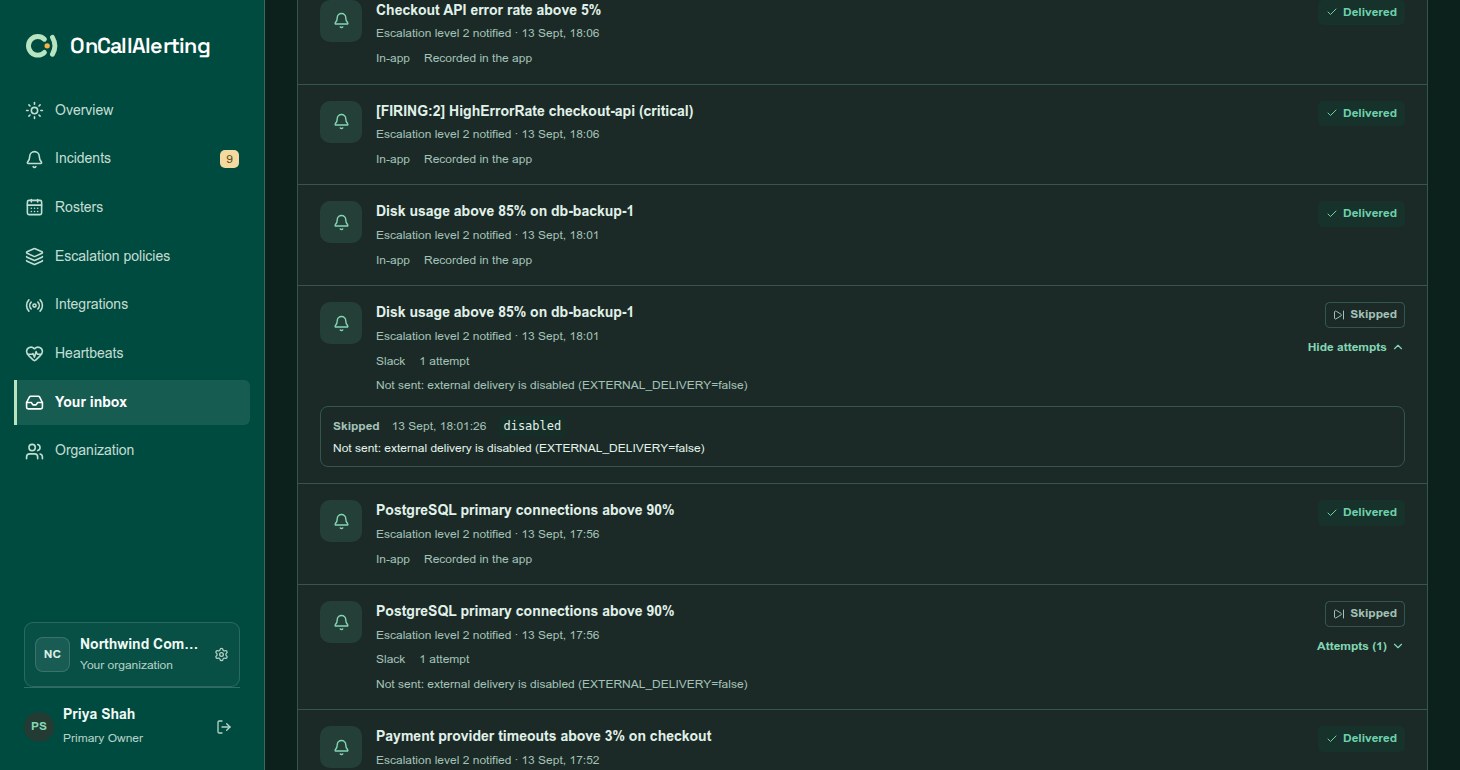
Your inbox lists the notifications addressed to you, newest first. Each row shows the incident, the message, the channel, the number of attempts and a status. Select the incident title to open it, and Attempts to see each delivery attempt.
In-app notifications are recorded straight away. Their status is always Delivered, with "Recorded in the app".
Delivery statuses
Section titled "Delivery statuses"| Status | Meaning |
|---|---|
| Delivered | In-app: recorded. Slack: Slack accepted the message with a 2xx response. |
| Queued | Waiting for its first attempt. |
| Sending | An attempt is in progress. |
| Retrying | An attempt failed. The row shows when the next attempt is due. |
| Failed | The last attempt failed, or the failure cannot be fixed by retrying. |
| Cancelled | Not sent, because the incident was acknowledged, resolved, reassigned or merged first. |
| Skipped | Not sent, because external delivery is turned off on this OnCallAlerting server. This happens in development and test environments. |
Slack delivery
Section titled "Slack delivery"Each Slack notification is one message to your organization's Slack incoming webhook, naming the person it is for:
OnCallAlerting · criticalAPI error rate above 5%Notify: JamieEscalation level 1 notifiedhttps://oncallalerting.com/workspace?incident=...The first line carries the severity, then the incident title, the person, the escalation message and a link to the incident. The link uses your OnCallAlerting address. Slack messages have no buttons: acknowledge in OnCallAlerting. See notification channels to connect Slack.
Retries
Section titled "Retries"A Slack notification gets up to 6 attempts. Each attempt waits up to 8 seconds for Slack to answer.
| After attempt | Next attempt in about |
|---|---|
| 1 | 30 seconds |
| 2 | 2 minutes |
| 3 | 10 minutes |
| 4 | 30 minutes |
| 5 | 1 hour |
Each wait varies by up to 20% either way. When Slack answers with a Retry-After header, the wait is at least that long, up to an hour.
| Result | What happens |
|---|---|
| 2xx | Delivered |
| Timeout, network error, 408, 429, 5xx, or a redirect | Retried |
| Any other 4xx | Failed at once |
| Slack not connected, or the saved URL is not valid | Failed at once |
| The recipient is no longer in the organization | Failed at once |
When a notification fails for good, the incident timeline records it, for example "Slack delivery to Jamie failed after 6 attempts" followed by the reason.
What cancels a notification
Section titled "What cancels a notification"Paging someone after the incident is handled is wrong, so OnCallAlerting cancels Slack notifications that have not been sent yet when:
- someone, or an alert source, acknowledges the incident
- the incident is resolved, by anyone or anything
- the incident is reassigned (the new assignee gets new notifications)
- the incident is merged into another incident
Before each attempt, OnCallAlerting also checks that the incident is still open. A notification for an incident that is acknowledged or resolved by then is cancelled. The attempt list records why, for example "Not sent: the incident was acknowledged first".
In-app notifications are never cancelled. They stay in the inbox as a record.
Duplicates
Section titled "Duplicates"Delivery is at least once. If the OnCallAlerting worker stops after sending a message but before recording the result, the attempt is logged as interrupted and the message is sent again. Slack incoming webhooks have no way to spot a repeat, so Slack may show that message twice.
The incident delivery log
Section titled "The incident delivery log"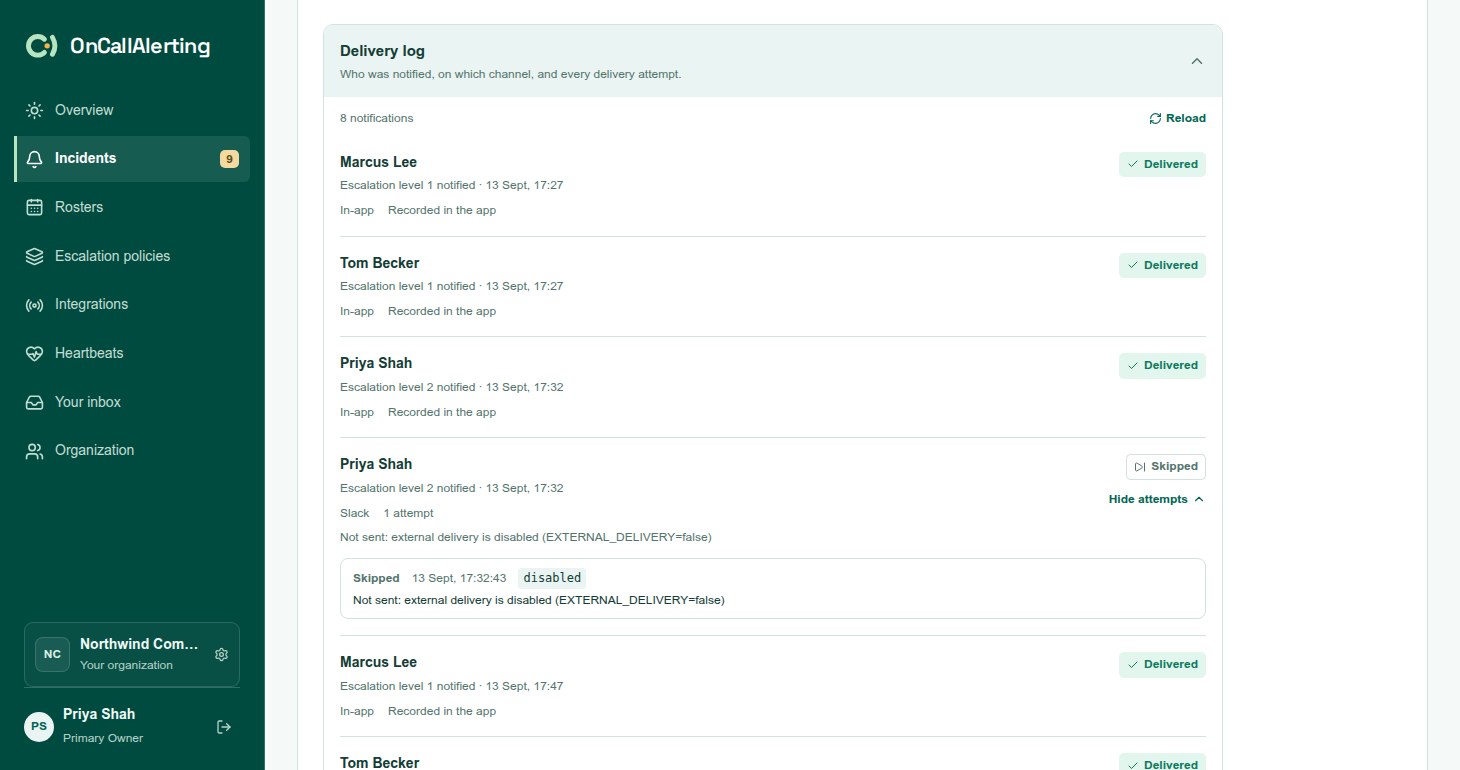
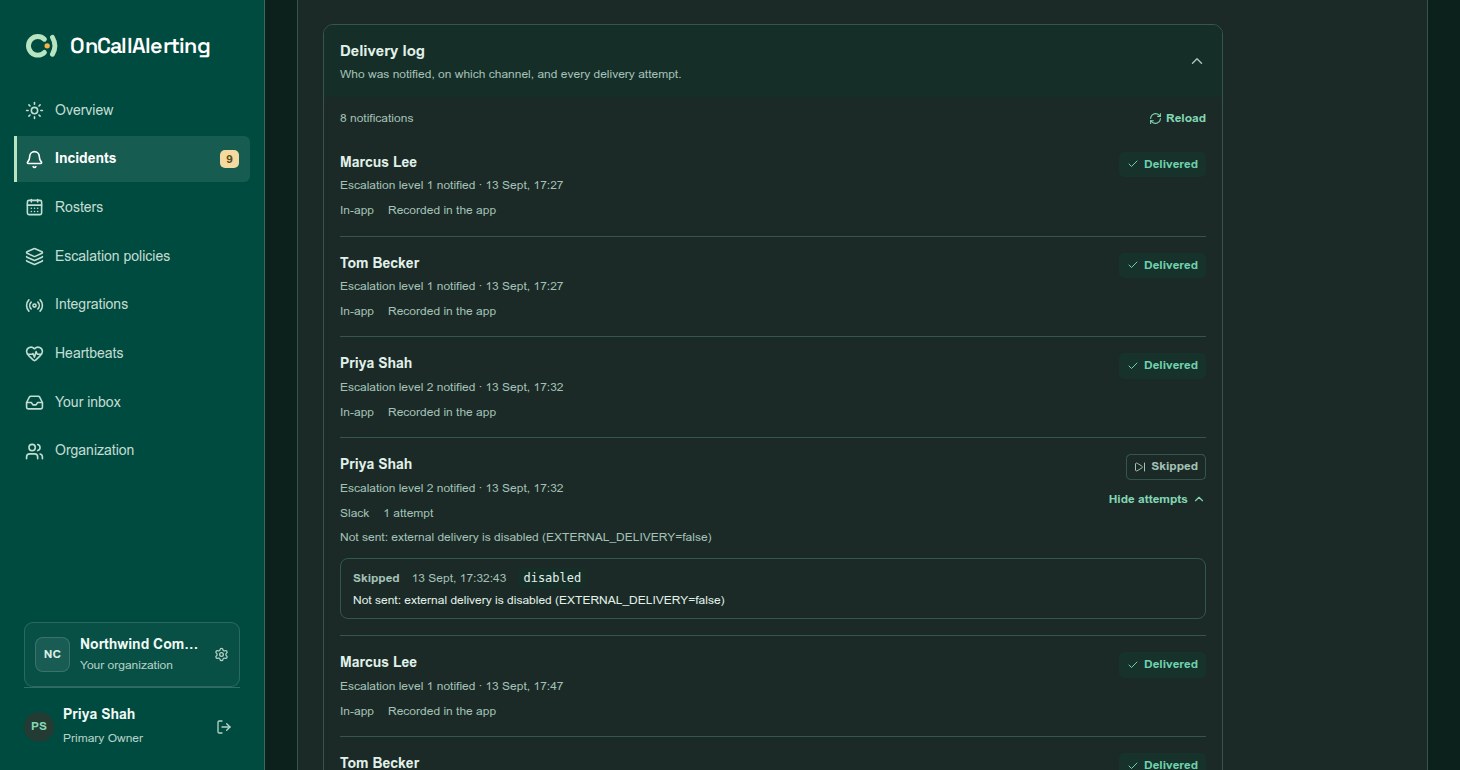
At the bottom of an incident, open Delivery log to see who was notified, on which channel, and every delivery attempt. Any member of the organization can read it. Select Reload to refresh it.
Each attempt shows its outcome (Sent, Failed or Skipped), time, HTTP status, error class, duration and a short detail. The last 20 attempts are kept per notification. Details never include webhook URLs or tokens.
| Error class | Meaning |
|---|---|
timeout | Slack did not answer within 8 seconds. |
network | Slack could not be reached. |
rate_limited | Slack answered 429. |
http_4xx, http_5xx, http_other | Slack answered with that kind of status. |
not_configured | Slack is not connected, or the saved URL is not valid. |
recipient_missing | The person is no longer in the organization. |
interrupted | The worker stopped before recording the result. The message may have been sent. |
incident_acknowledged, incident_resolved, incident_reassigned, incident_merged | Cancelled for that reason. |
disabled | Skipped: external delivery is turned off on this server. |