

Opsgenie-compatible intake
An Opsgenie-compatible source accepts Opsgenie Alert API calls. A tool that already sends alerts to Opsgenie can keep that integration: change its API URL and key to the ones OnCallAlerting gives you. This only works for tools that let you set the URL.
Connect the source
Section titled "Connect the source"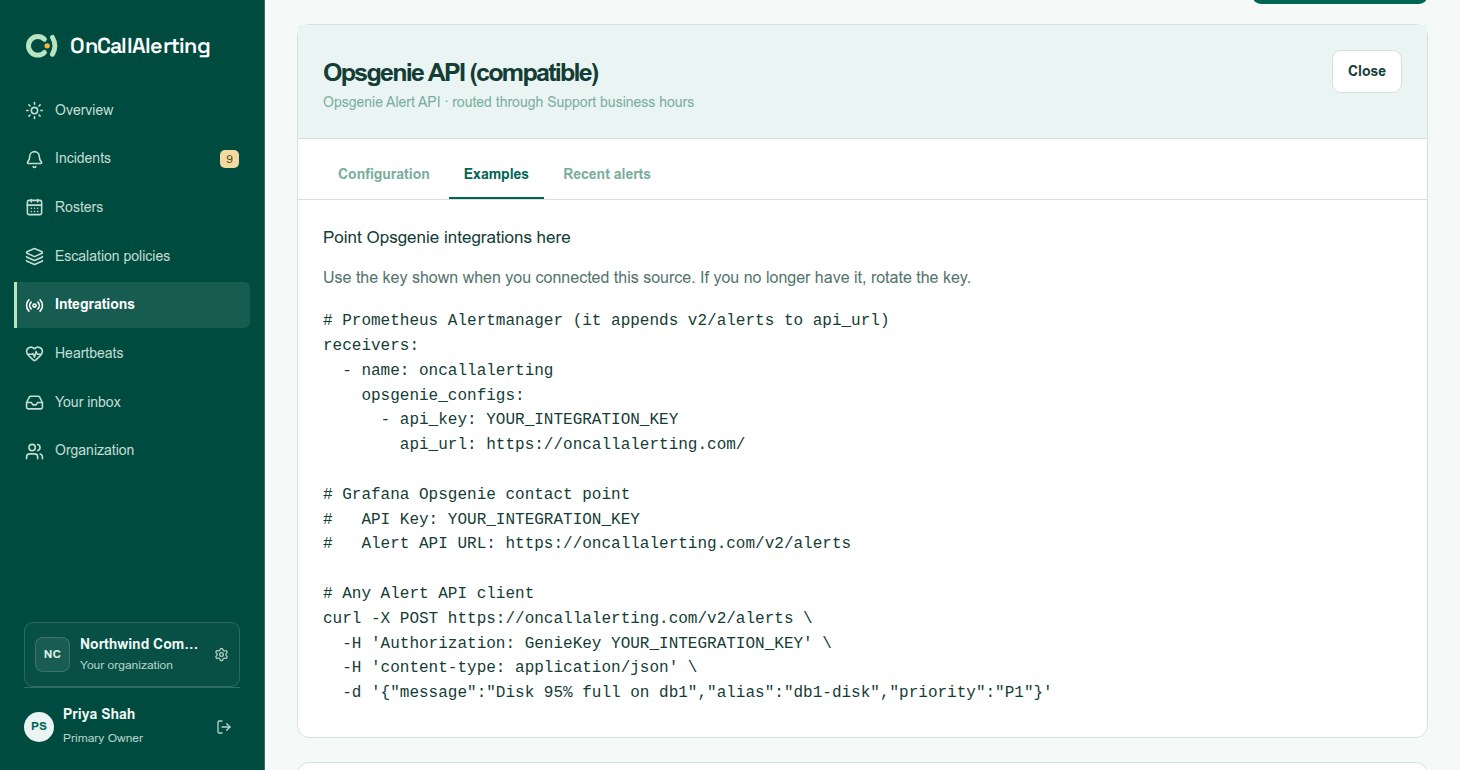
- In Integrations, select Add integration and choose Opsgenie Alert API.
- Enter a name, choose the escalation policy, and select Add integration.
- Copy the API key and the URL. The key is a UUID and is shown only once. Rotating it stops the old key straight away.
The URL points at /v2/alerts on your OnCallAlerting intake host.
Authentication
Section titled "Authentication"Send the key in one of two ways:
Authorization: GenieKey YOUR_API_KEY- HTTP Basic authentication with an empty user name and the key as the password
A missing or unknown key gets 401 with {"message":"Could not authenticate"}.
Point your tool here
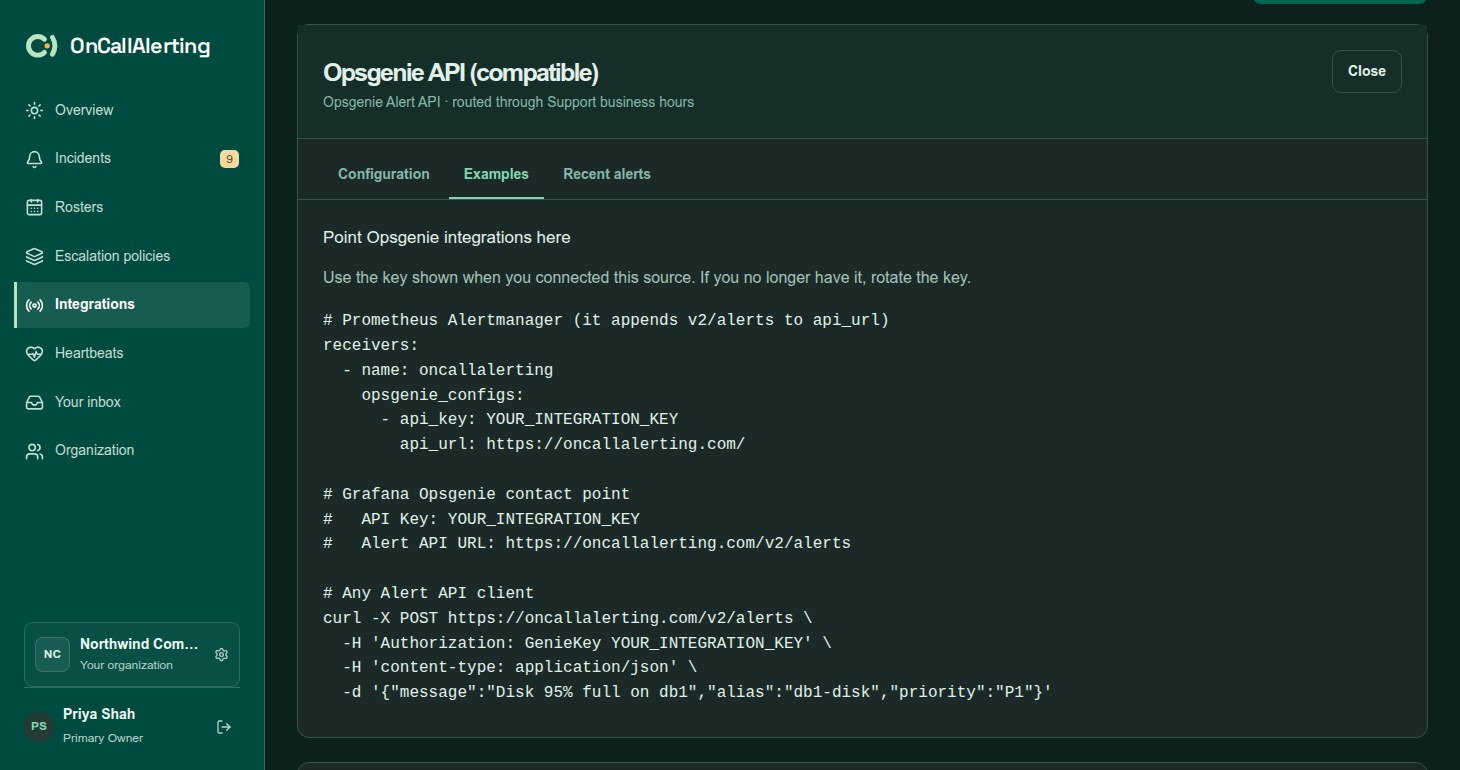
Section titled "Point your tool here"# Prometheus Alertmanager (it appends v2/alerts to api_url)receivers: - name: oncallalerting opsgenie_configs: - api_key: YOUR_API_KEY api_url: https://oncallalerting.com/
# Grafana Opsgenie contact point# API Key: YOUR_API_KEY# Alert API URL: https://oncallalerting.com/v2/alerts# Any Alert API clientcurl -X POST https://oncallalerting.com/v2/alerts \ -H 'Authorization: GenieKey YOUR_API_KEY' \ -H 'content-type: application/json' \ -d '{"message":"Disk 95% full on db1","alias":"db1-disk","priority":"P1"}'Note the difference: Alertmanager's api_url is the host, and it adds v2/alerts itself. Grafana's "Alert API URL" is the full URL.
Which tools can switch
Section titled "Which tools can switch"As of 2026-09-13:
| Tool | Setting | Status |
|---|---|---|
| Prometheus Alertmanager | opsgenie_configs[].api_url | Payloads captured from Alertmanager 0.34 and covered by OnCallAlerting's tests |
| Grafana | Opsgenie contact point, "Alert API URL" | Payloads captured from Grafana 13.2 and covered by OnCallAlerting's tests |
| Kibana | Opsgenie connector "URL"; the host must be in xpack.actions.allowedHosts | URL setting found in Kibana's source code. Not tested with OnCallAlerting. |
| Zabbix | Opsgenie media type parameter opsgenie_api | URL setting found in its template. Not tested with OnCallAlerting. |
| Checkmk | Opsgenie "Domain" | URL setting found in its source code. Not tested with OnCallAlerting. |
These offer only a region picker or a fixed host, so they cannot be pointed at OnCallAlerting: Uptime Kuma, Sentry and Datadog. Opsgenie's tool-specific /v1/json/ endpoints, used by the Jenkins opsgenie-plugin and the Icinga 2 integration, are not accepted.
Create an alert
Section titled "Create an alert"POST /v2/alerts:
| Field | Required | Notes |
|---|---|---|
message | Yes | Becomes the title, shortened to 300 characters |
alias | No | The deduplication key, up to 512 characters. When there is none, OnCallAlerting generates one. |
description | No | The start of the incident description |
priority | No | P1-P5, default P3 |
details | No | Kept as incident details, up to 50 keys |
tags, entity, source, note | No | Added to the description. The first 20 tags are kept. |
responders, visibleTo, actions, user | No | Accepted and not used. The source's escalation policy decides who is notified. |
Priority sets the severity:
| Priority | Severity |
|---|---|
| P1, P2 | critical |
| P3, or none | warning |
| P4, P5 | info |
A priority sent in the request is also set as the incident's priority.
When an open or acknowledged incident from this source already has the alias, the call adds an occurrence and notifies nobody.
Close and acknowledge
Section titled "Close and acknowledge"POST /v2/alerts/IDENTIFIER/closeresolves an alert.POST /v2/alerts/IDENTIFIER/acknowledgeacknowledges it. Escalation stops and pending Slack notifications are cancelled, the same as when a person acknowledges.
identifierType in the query string says what the identifier is:
identifierType | Identifier |
|---|---|
id, or none | The incident id in OnCallAlerting. Only incidents from this source match. |
alias | The alias. It matches the open or acknowledged incident with that alias, or the incident that alias was merged into. |
tiny | Not supported: 400 "OnCallAlerting does not issue tiny IDs. Use identifierType=id or identifierType=alias." |
The body is optional. user or source is recorded as who did it, as "Acknowledged by" that name "via" the source name. note is added to the timeline entry.
Responses and request status
Section titled "Responses and request status"Every response has Opsgenie's envelope with took and requestId. Create, close and acknowledge answer 202:
{"result": "Request will be processed", "took": 0.012, "requestId": "..."}Opsgenie processes requests later. OnCallAlerting applies them straight away and keeps the outcome for 3 days. Read it with GET /v2/alerts/requests/REQUEST_ID:
{ "data": { "success": true, "isSuccess": true, "action": "Create", "processedAt": "2026-09-13T14:02:11.482Z", "integrationId": "...", "status": "Created alert", "alertId": "9a0c...", "alias": "db1-disk" }, "took": 0.004, "requestId": "..."}status | Meaning |
|---|---|
| Created alert | A new incident opened |
| Alert with this alias is already open; count increased | An occurrence was added |
| Closed alert, Acknowledged alert | The action was applied |
| Alert does not exist | No matching incident. success is false. |
| Alert is already closed | The incident was already resolved. success is false. |
An unknown or expired request id gets 404 "Request not found. Request records are kept for 3 days."
Errors:
| Code | Meaning |
|---|---|
400 | The body is not valid JSON |
401 | Missing or unknown key |
413 | The body is over 512 KB |
422 | Validation failed, with an errors object such as {"message":"Message can not be empty."} |
429 | More than 240 requests a minute for this source |