

PagerDuty-compatible intake
A PagerDuty-compatible source accepts PagerDuty Events API calls. A tool that already sends alerts to PagerDuty can keep that integration: change its URL and integration key to the ones OnCallAlerting gives you. This only works for tools that let you set the URL.
Connect the source
Section titled "Connect the source"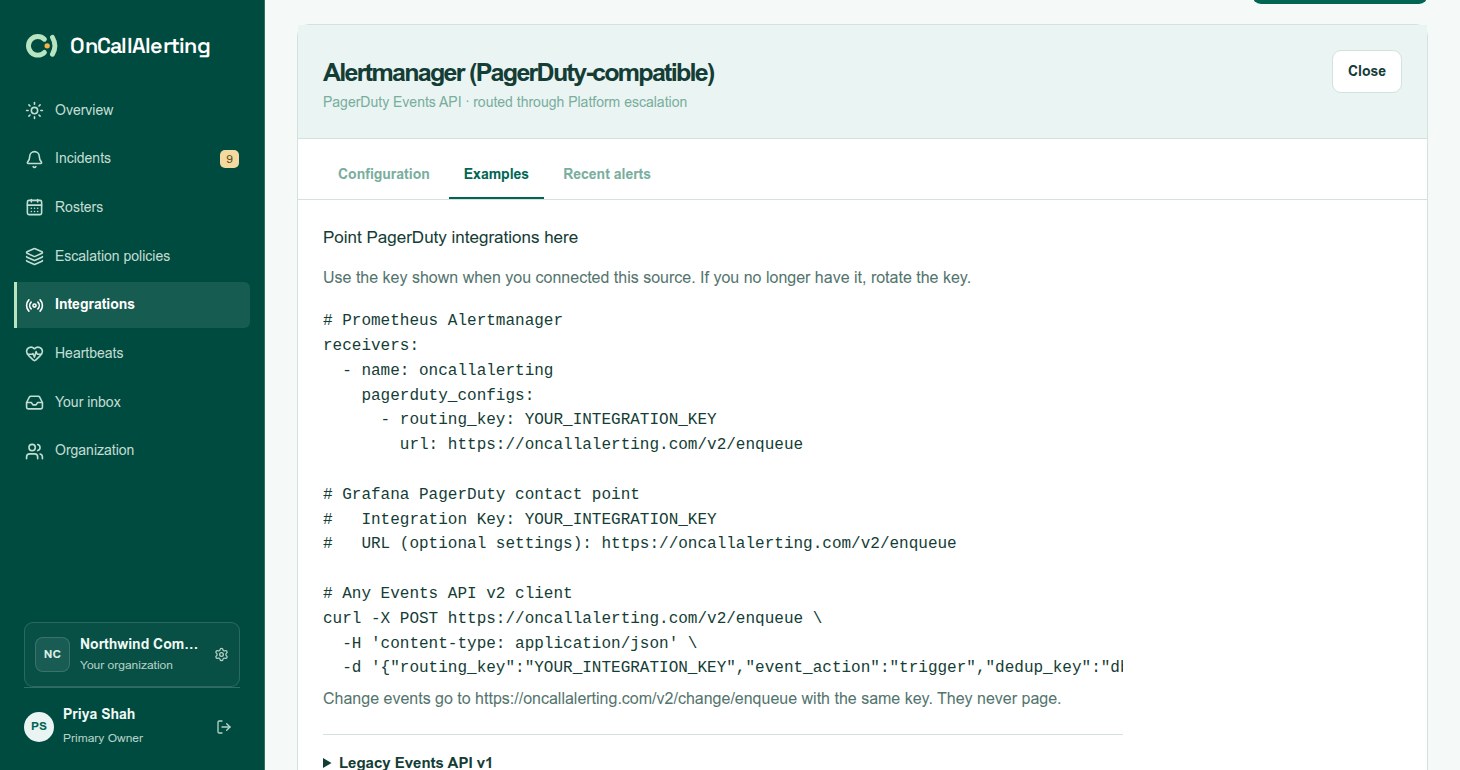
- In Integrations, select Add integration and choose PagerDuty Events API.
- Enter a name, choose the escalation policy, and select Add integration.
- Copy the Integration key and the URL. The key is 32 hex characters and is shown only once. Rotating it stops the old key straight away.
The URL points at /v2/enqueue on your OnCallAlerting intake host. The same host and key serve three endpoints:
| Endpoint | For |
|---|---|
POST /v2/enqueue | Events API v2 alert events: trigger, acknowledge, resolve |
POST /v2/change/enqueue | Events API v2 change events |
POST /generic/2010-04-15/create_event.json | Legacy Events API v1 |
The key travels in the body. No other authentication is needed.
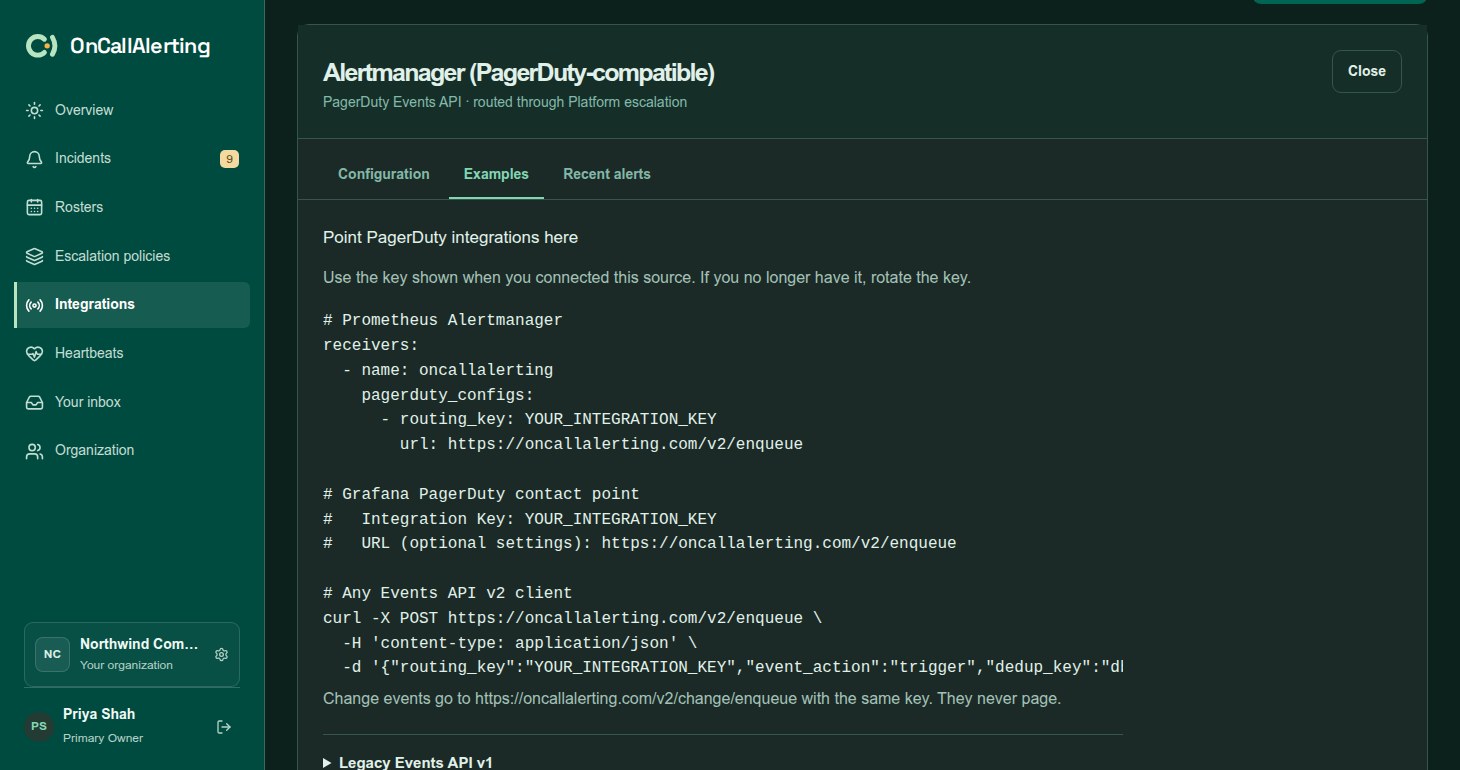
Point your tool here
Section titled "Point your tool here"# Prometheus Alertmanagerreceivers: - name: oncallalerting pagerduty_configs: - routing_key: YOUR_INTEGRATION_KEY url: https://oncallalerting.com/v2/enqueue
# Grafana PagerDuty contact point# Integration Key: YOUR_INTEGRATION_KEY# URL (optional settings): https://oncallalerting.com/v2/enqueue# Any Events API v2 clientcurl -X POST https://oncallalerting.com/v2/enqueue \ -H 'content-type: application/json' \ -d '{"routing_key":"YOUR_INTEGRATION_KEY","event_action":"trigger","dedup_key":"db1-disk","payload":{"summary":"Disk 95% full on db1","source":"db1","severity":"critical"}}'Which tools can switch
Section titled "Which tools can switch"A tool can switch only if it lets you change the PagerDuty URL. As of 2026-09-13:
| Tool | Setting | Status |
|---|---|---|
| Prometheus Alertmanager | pagerduty_configs[].url with routing_key | Payloads captured from Alertmanager 0.34 and covered by OnCallAlerting's tests |
| Grafana | PagerDuty contact point, "URL" | Payloads captured from Grafana 13.2 and covered by OnCallAlerting's tests |
| Kibana | PagerDuty connector "API URL"; the host must be in xpack.actions.allowedHosts | URL setting found in Kibana's documentation. Not tested with OnCallAlerting. |
| Uptime Kuma | PagerDuty "Integration URL" | URL setting found in its source code. Not tested with OnCallAlerting. |
| Sumo Logic | Webhook connection "URL" with a v2 payload | URL setting found in its documentation. Not tested with OnCallAlerting. |
These send only to PagerDuty's own host, or offer only a region picker, so they cannot be pointed at OnCallAlerting: the Zabbix PagerDuty media type, Checkmk, Sentry, Datadog, New Relic, Honeycomb, UptimeRobot, Better Stack, StatusCake, Splunk Observability, Dynatrace, the Jenkins pagerduty-plugin and PagerDuty's change events GitHub action. Use a native or generic webhook for them.
PagerDuty's tool-specific endpoints, such as /x-ere/ and /integration/.../enqueue, are not accepted.
Alert events
Section titled "Alert events"Send POST /v2/enqueue with:
| Field | Required | Notes |
|---|---|---|
routing_key | Yes | The integration key, 32 characters |
event_action | Yes | trigger, acknowledge or resolve |
dedup_key | For acknowledge and resolve | Up to 255 characters. When a trigger has none, OnCallAlerting generates one and returns it. |
payload.summary | For trigger | Up to 1024 characters. Becomes the title, shortened to 300 characters. |
payload.source | For trigger | Added to the description |
payload.severity | For trigger | critical, error, warning or info. error becomes critical. |
payload.component, payload.group, payload.class, payload.timestamp, client | No | Added to the description |
payload.custom_details | No | Kept as incident details, up to 50 keys |
links, client_url, images | No | Kept as incident links, http and https only, up to 20 |
What each action does:
- trigger opens an incident on the source's policy, or adds an occurrence to the open or acknowledged incident with the same
dedup_key. - acknowledge acknowledges that incident. Escalation stops and pending Slack notifications are cancelled, the same as when a person acknowledges. The timeline records "Acknowledged by" and the source name.
- resolve resolves it. The timeline records "Resolved by recovery from" and the source name.
- An acknowledge or resolve for a key with no open incident is ignored. The response is still a success.
Responses follow PagerDuty's shapes and status codes, so tools retry the same way:
| Code | Body |
|---|---|
202 | {"status":"success","message":"Event processed","dedup_key":"db1-disk"} |
400 | {"status":"invalid event","message":"Event object is invalid","errors":["'payload.source' is missing or blank"]}. An unknown key gives the error Invalid routing key. |
413 | The body is over 512 KB |
429 | {"status":"throttle exceeded",...}: more than 240 events a minute for this source |
500 | Try again later |
Change events
Section titled "Change events"Send POST /v2/change/enqueue with routing_key and payload.summary (up to 1024 characters). payload.source, payload.timestamp, payload.custom_details and links are kept too. The response is 202 with {"status":"success","message":"Change event processed"}.
Change events never page. OnCallAlerting:
- lists the change under Recent changes on the source's Recent alerts tab
- adds "Change from" the source name and the summary to the timeline of every open or acknowledged incident that uses the same escalation policy as the source
- keeps it for 90 days
Legacy Events API v1
Section titled "Legacy Events API v1"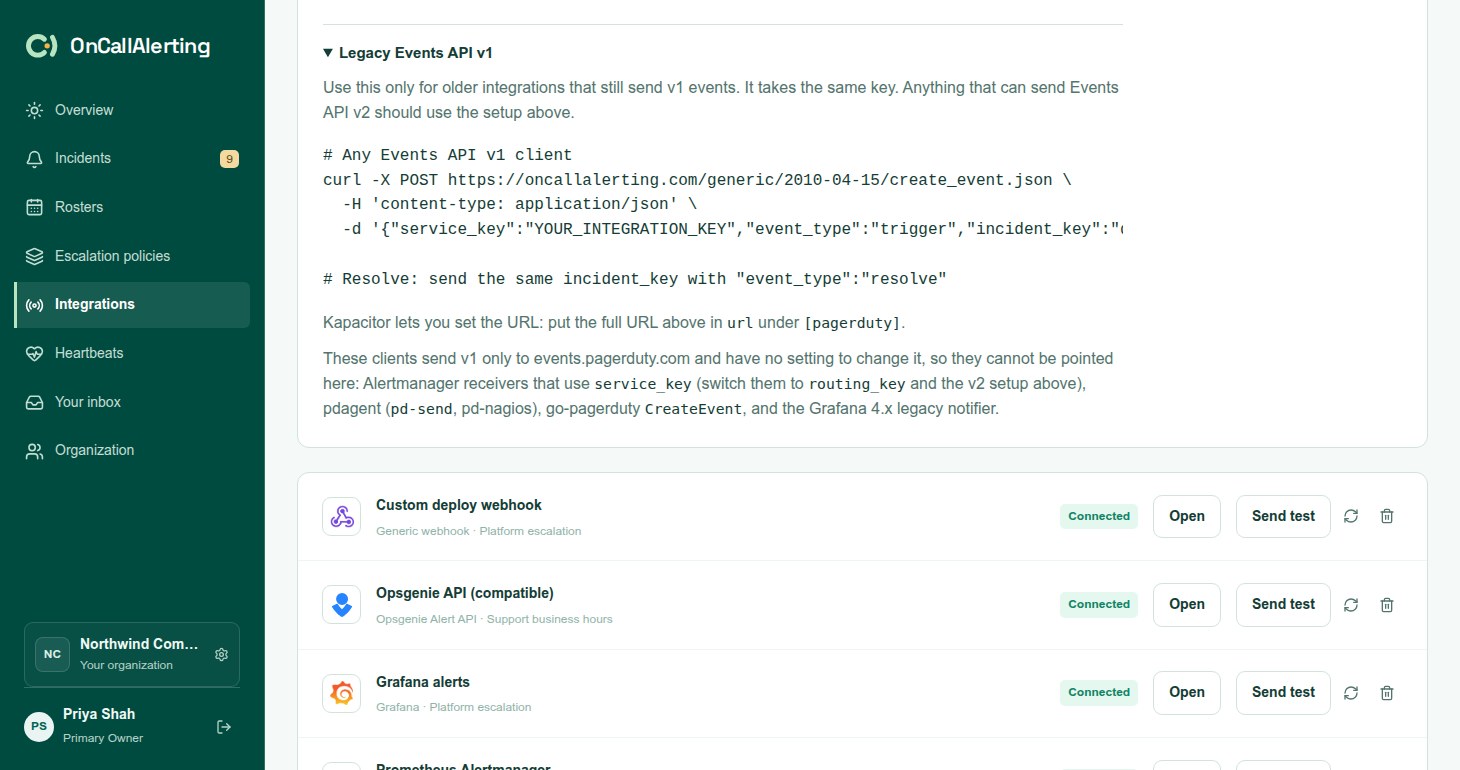
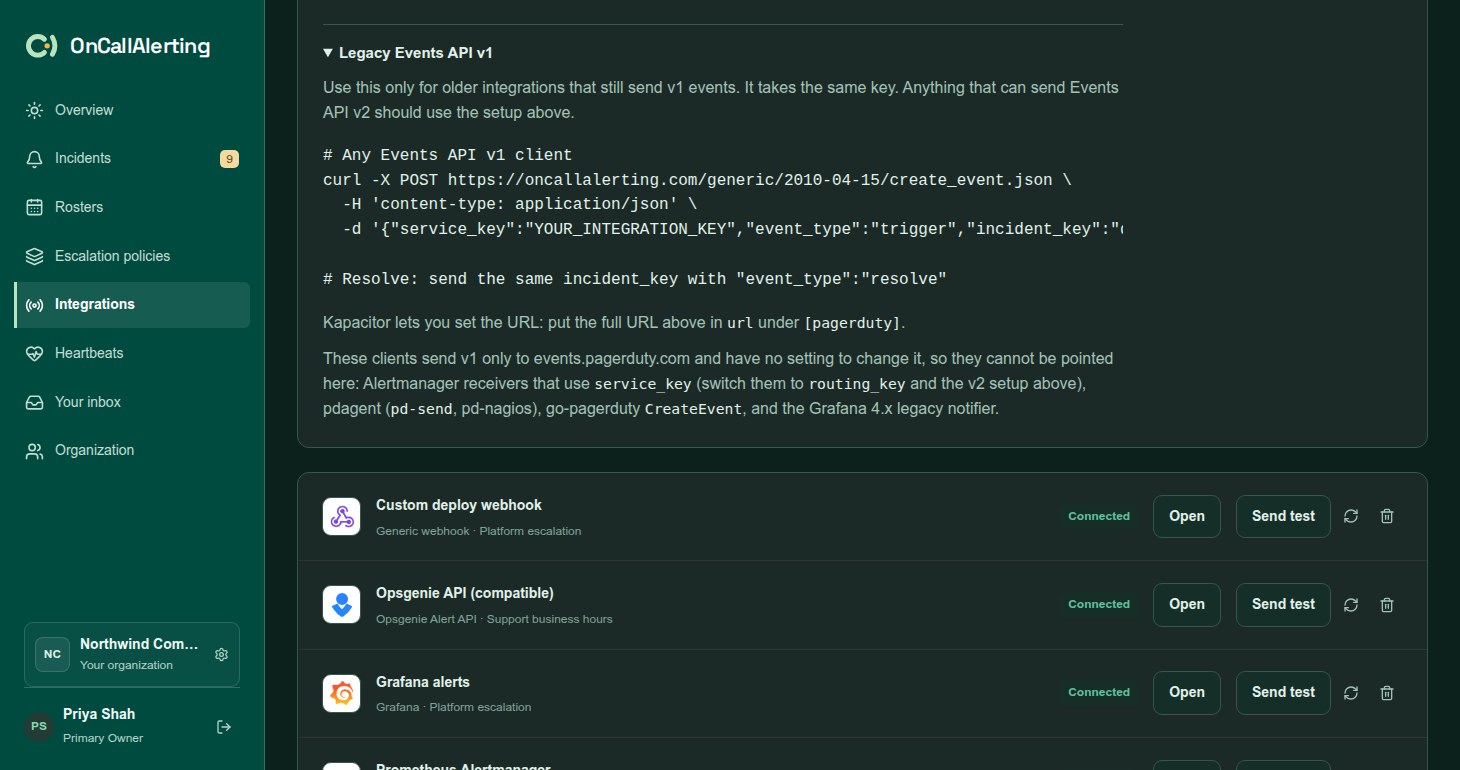
Use v1 only for older integrations that still send it. Anything that can send Events API v2 should use the setup above. On the source's Examples tab, open Legacy Events API v1.
Send POST /generic/2010-04-15/create_event.json with the same key:
curl -X POST https://oncallalerting.com/generic/2010-04-15/create_event.json \  -H 'content-type: application/json' \  -d '{"service_key":"YOUR_INTEGRATION_KEY","event_type":"trigger","incident_key":"db1-disk","description":"Disk 95% full on db1"}'
# Resolve: send the same incident_key with "event_type":"resolve"| Field | Required | Notes |
|---|---|---|
service_key | Yes | The integration key |
event_type | Yes | trigger, acknowledge or resolve |
incident_key | For acknowledge and resolve | Up to 255 characters. Generated and returned when a trigger has none. |
description | For trigger | Becomes the title. On acknowledge and resolve it is added to the timeline entry as a note. |
details | No | Kept as incident details. A string is kept as one detail. |
client, client_url, contexts | No | Link and image contexts become incident links |
v1 has no severity, so every v1 trigger opens a critical incident.
Responses:
| Code | Body |
|---|---|
200 | {"status":"success","message":"Event processed","incident_key":"db1-disk"} |
400 | {"status":"invalid event","message":"Event object is invalid","errors":[...]} |
403 | {"status":"throttle exceeded",...}: v1 clients retry on 403 |
413 | The body is over 512 KB |
Kapacitor lets you set the v1 URL: put the full URL in url under [pagerduty]. These clients send v1 only to PagerDuty and cannot be pointed here: Alertmanager receivers that use service_key (switch them to routing_key and the v2 setup), pdagent (pd-send, pd-nagios), go-pagerduty CreateEvent, and the Grafana 4.x legacy notifier.